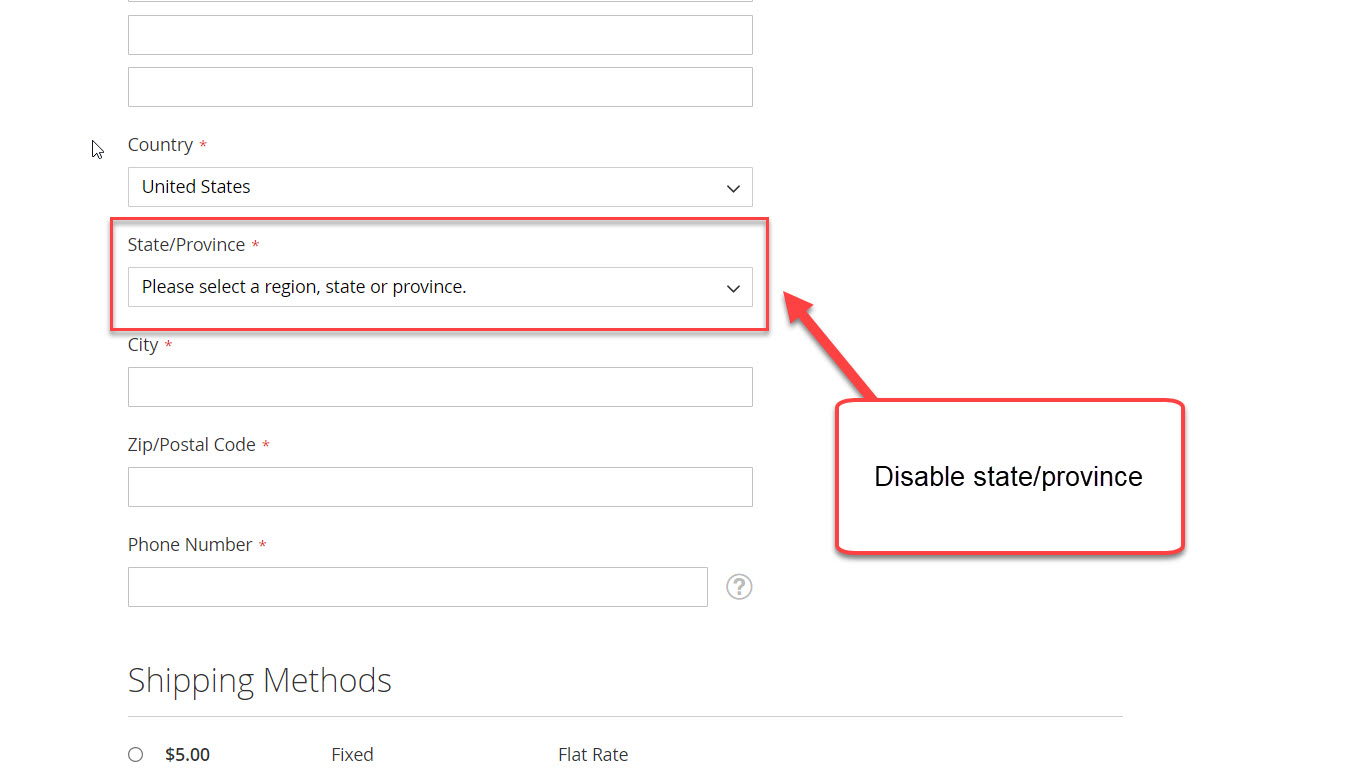
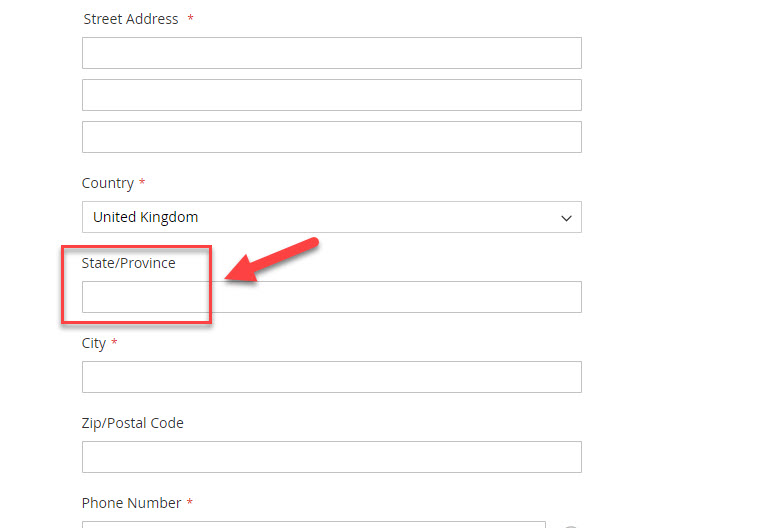
By default, the state/province option is a required field in the address form. Customers are required to select this option to finish checkout or while creating a new account.
If your store does not serve US customers, you may want to remove or disable the state & province option as this option is not necessary.
In this tutorial, we will learn how to remove State/province option in Magento 2.
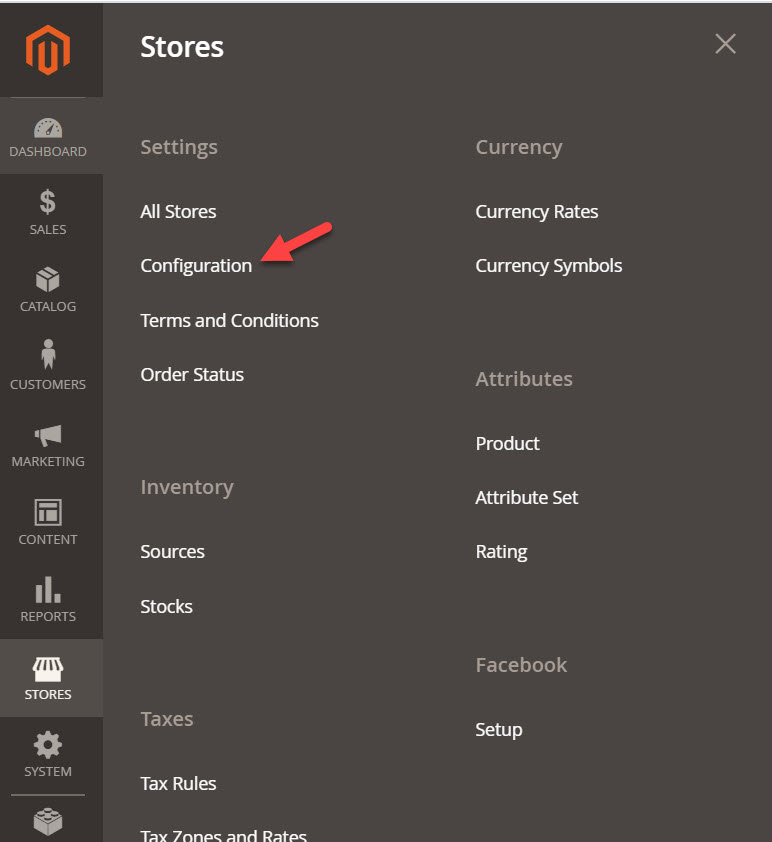
Go to Magento 2 admin dashboard and navigate to Stores > Settings > Configuration
Step 2
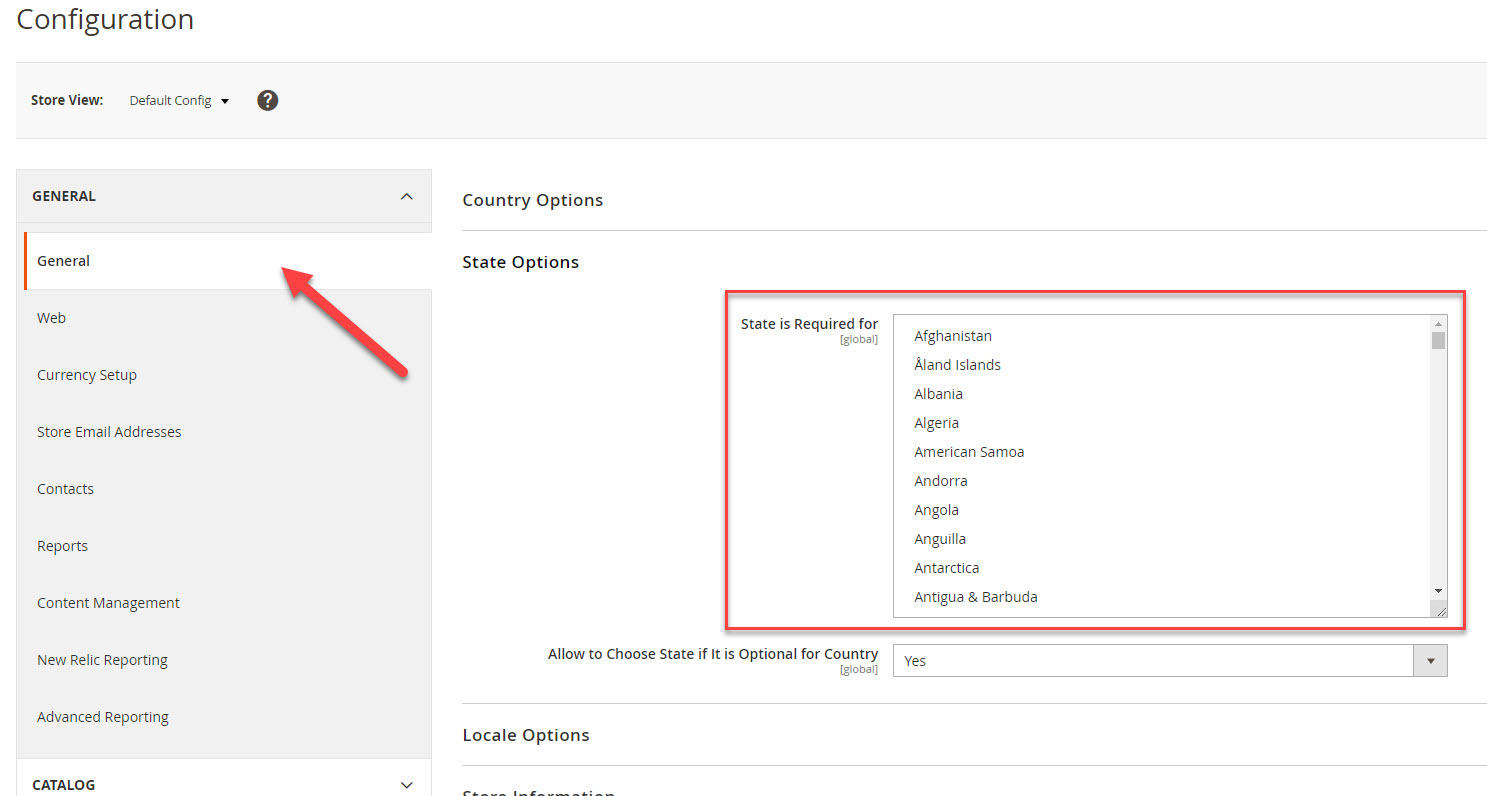
In general tabs, expand the State option and you will see 2 fields
State is required for
Allow to Choose state if it is optional for country
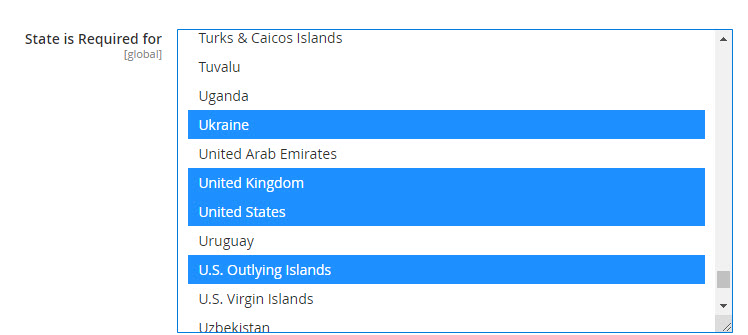
To set which countries require statevalue, click on country name. You can select multiple countries by holding down Crt or Shift button
In Allow to Choose State if it is optional for country, there are 2 options Yes and No.
Let me explain these 2 options
Select Yes if: In countries where the state field is not required, the State field is included as an optional entry. Users are not required to select State to finish action
Select No if: In countries where the state field is not required, omits the State field. This option will remove the state field from the page.
For example, if you want to remove state option for United Kingdom customer.
Deselect United Kingdom in State is required for
Select No in Allow to Choose State if it is optional for country
Step 3: Check if the state field is removed
In case you select Yes in Allow to Choose State if it is optional for country
Go to Magento 2 checkout page and you you see the state field is not required (no * indicator), it become optional and users can complete checkout without selected state option
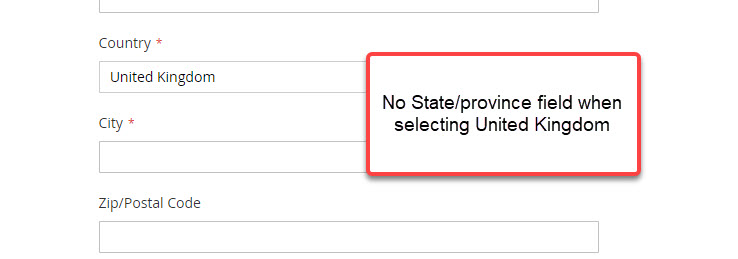
In case you select No in Allow to Choose State if it is optional for country, the state/province field will be completely removed from checkout page as below
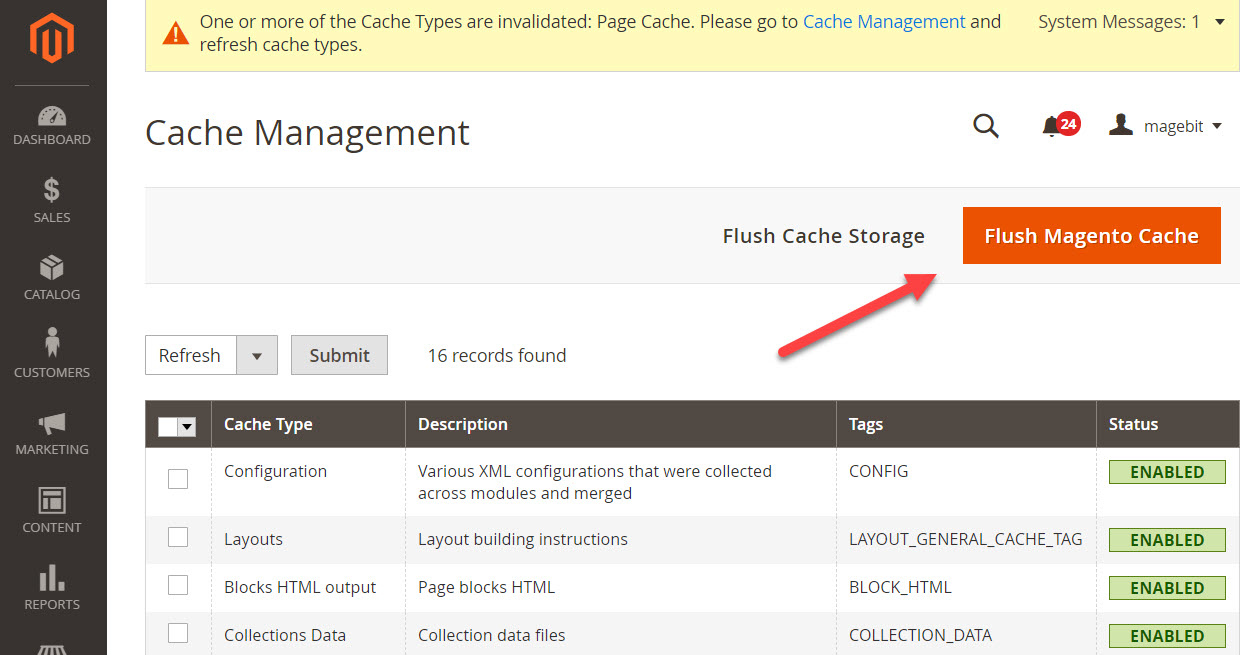
If the change is not applied, try to flush cache
Programmatically remove state province option in Magento 2
If you are a developer, you can remove state/province option programmatically in LayoutProcessor.php file located in app/code/company/Magento_Theme/Plugin/Checkout/Block/LayoutProcessor.php
Add these lines to this file to disable state/province option
$jsLayout['components']['checkout']['children']['steps']['children']['shipping-step']
['children']['shippingAddress']['children']['shipping-address-fieldset']
['children']['country_id']['visible'] = false;


$jsLayout['components']['checkout']['children']['steps']['children']['shipping-step']
['children']['shippingAddress']['children']['shipping-address-fieldset']['children']
['region']['visible'] = false; // These lines will do the trick
Save changes and flush cache and go to checkout page to check if it works properly.
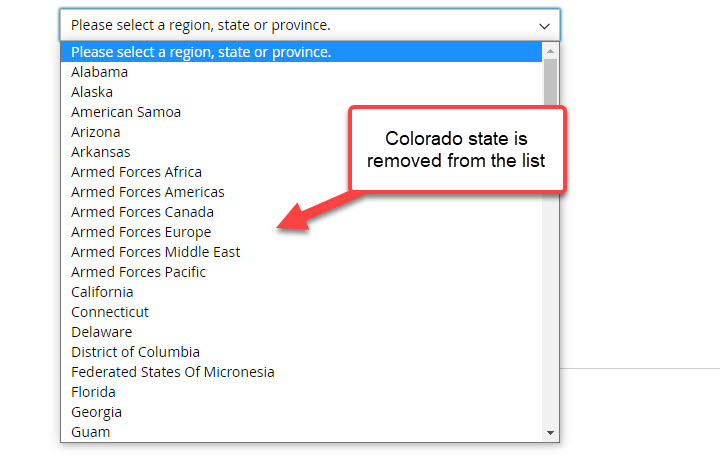
Remove some states from the default state list in Magento 2
Some users asked my how to remove some specific states from the default state list in Magento 2, here’s the metho
Go to PHPMYADMIN > select table directory_country_region_name and directory_country_region
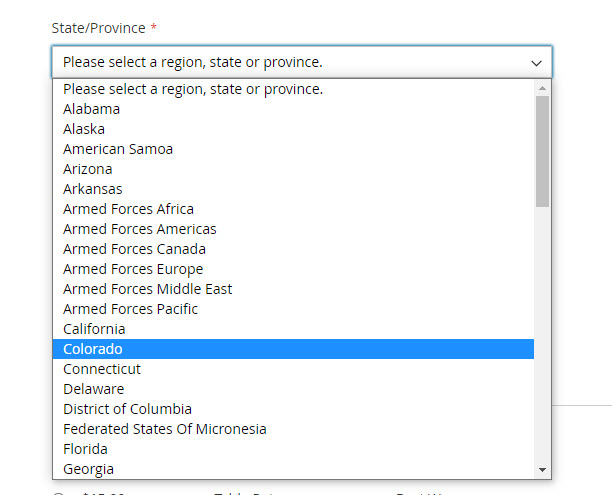
Delete the state you want by removing the corresponding record from that tables. For example, you want to remove Colorado state from the state list, in directory_country_region find Colorado and remove that value from the table